
MDX-50
DGSHAPE A Roland Company · source
MDX-50 Benchtop Modeling Machine
Simply Advanced
Precision
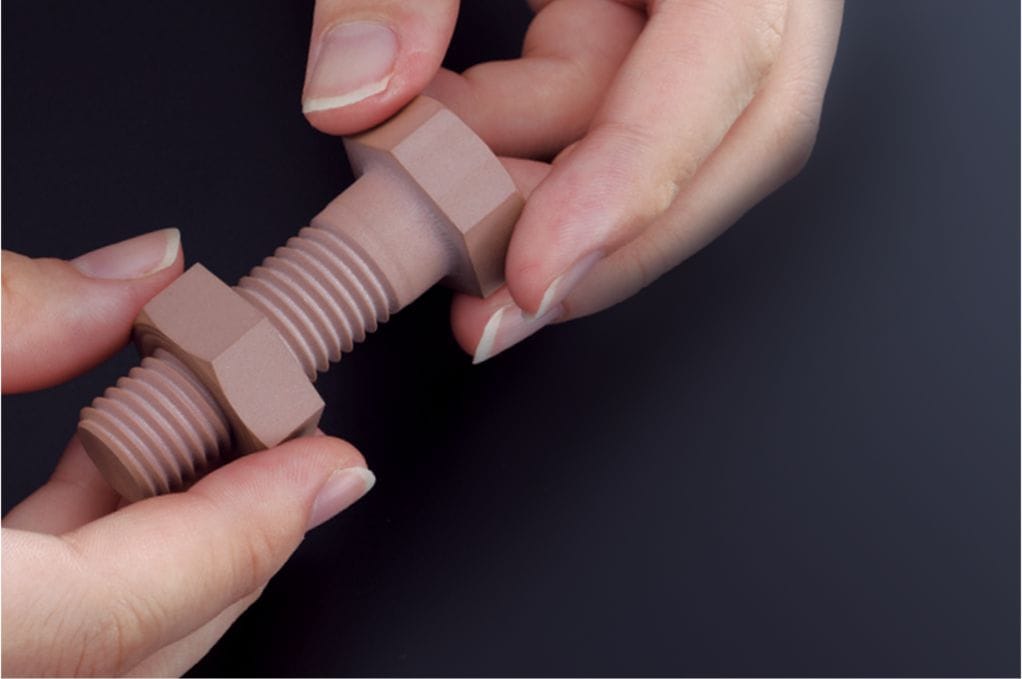
With an improved drive system, machine rigidity and enhanced drive mechanics, the MDX-50 mills incredibly smooth and accurate prototypes for testing structure, function, and assembly with other parts. A machining area of 15.8"(400mm) (X) x 12"(305mm) (Y) x 5.3"(135mm) (Z) supports production of large single objects or batch production of smaller multiple parts.
Fine Detail and Smooth Finish
Achieve accurate surface finish to simulate production-ready prototypes
Surface Finish
Traditional methods of rapid prototyping involve hand crafting wax, clay, and other soft materials. These methods rely on the steady hand of a craft-person and can lead to imperfections or limitations based on the choice of material.
Similarly, emerging methods of digital production, such as 3D printing, may be able to replicate an exact material, but the method can be cost-prohibitive compared to the benefit/performance ratio of the MDX-50 – lower priced technologies can yield clunky prototypes, while high performance production can dramatically increase your cost structure and use complicated software workflows.
Machine Resolution
MDX devices use superior motion control firmware to calibrate in 3D space. This eliminates the need for heavy, granite or steel bases to stabilize the machine.
Truly Functional Prototypes
Materials
The following items are just some of the materials that can be milled with the MDX-50 benchtop CNC mill:
- ABS
- POM
- Nylon Plastic Foam
- Modeling Wax
- PVC Plywood
- Hardwood
- Acetal
As a Subtractive, rather than Additive, 3D machine; the MDX-50 Rapid Prototype Machine supports a variety of non-proprietary materials. The following items are just some of the prototypes and applications that are possible with this versatile device:
- Snap-fit parts
- Moulds for casting
- Toys and games
- Product prototypes
- Jewellery and accessories
- Furnishings and decorations
- Electrical parts and casings
- Relief signs and graphics
Proprietary Materials?
Many Rapid Prototyping technologies require the use of specific materials that can be manipulated by the specific technology of the solution. MDX devices can create functional prototypes out of the final material of the product, bypassing multiple phases of the prototyping process.
What is a "Functional" Prototype?
Many prototypes for products are built using foam, wax, and paper-based materials to simulate 'Proof of Concept'.
MDX devices leverage the power of Computer Aided Design (CAD) to bypass the Creative phase and move directly to working prototype in the final usable material with all of the characteristics of the final product: movement, buttons, latches, etc.
Automation - Free Your Time
The automated features of the MDX-50 enable users to mill with speed and confidence. Combine the 5-station ATC and optional rotary axis unit for the most automated and precise operation:
- Auto-sensing function corrects the tool length to ensure milling accuracy for every job.
- Optional rotary axis for effortless production of complex surfaces.
- Includes a wide, self-centering headstock, and tailstock workpiece clamps.
- Auto-rotates materials from 0-to-360 degrees.
- Indexes for 2-sided, 4-sided and custom angles.
- Automatic Tool Changer loads and unloads milling burs without any human involvement
- Multiple Roughing and Finishing passes can be performed based on the complexity of your toolpath strategy – completely unattended
Simplified Machine Setup
The MDX-50 reduces the time and effort of machine set-up with an expanded work area, inner-machine lighting for clear visibility, and an included tool adaptor that enables instant installation of ATC tools – requiring no wrench or additional tools.
Built-in Control Panel
With a built-in control panel at the front of the unit, almost all operations can be completed from the unit itself. Users can perform operating functions and view the current job status without needing to constantly check their PC.
Safe, Clean, and Convenient Production
The MDX-50 is designed for use in studio and educational environments. A newly improved door ensures extra-safe operation while waste is contained in a built-in debris collection drawer.
Additional Features
- Advanced drive system supports dimensional stability
- Large machining area plus enhanced machine rigidity and drive mechanics
- Optional Rotary Axis with self-centering headstock and tailstock workpiece clamps
- Simple-to-load tools and automatic machine calibration
- Requires no special electrical set-up and needs no additional air compressor
- Multi colour-coded LED status light notifications and email notifications inform users of machine status
- Built-in debris collection drawer with rail guided safety door for safe and clean production
- Ideal for use in studio and educational environments
LED Light System
4 different colors illuminate to communicate machine status – ready, standby, communication errors, and emergency stop.
Dust Collector Tray
Milling waste can collect on the bed of the machine and build up over time, damaging critical components if not taken care of. The included waste tray makes getting to this debris easy and effective to keep your machine clean and performing at its best.
3D Product Suite - Bundled Software
MDX-50 comes packed with features to make your journey into Computer Aided Manufacturing (CAM) easy and efficient.
SRP Player CAM
This popular Industry and Education software has been updated to match the advanced functions of the MDX-50. Milling settings can be configured in five simple steps, making operation straightforward even for those new to milling.
ClickMill
ClickMill Software provides direct control of the MDX-50 for surfacing, drilling holes, cutting pockets and other finishing processes, all without having to access CAD or CAM software.
G Code Support
The MDX-50 supports G-code NC programming language, making it well suited for both professional and educational applications.
Virtual Control Panel (VPanel)
VPanel serves as a computer-based virtual panel with all of the functionality of the physical on-board control panel, as well as tool life management and e-mail alerts. All from your PC.
Product Information
| Manufacturer | DGSHAPE A Roland Company |
|---|---|
| Control | Built-in control panel, Virtual Control Panel (VPanel) |
| Application | Snap-fit parts, Moulds for casting, Toys and games, Product prototypes, Jewellery and accessories, Furnishings and decorations, Electrical parts and casings, Relief signs and graphics |
| Safety Features | Rail guided safety door, built-in debris collection drawer |
| Compatible Materials | ABS, POM, Nylon Plastic Foam, Modeling Wax, PVC Plywood, Hardwood, Acetal |